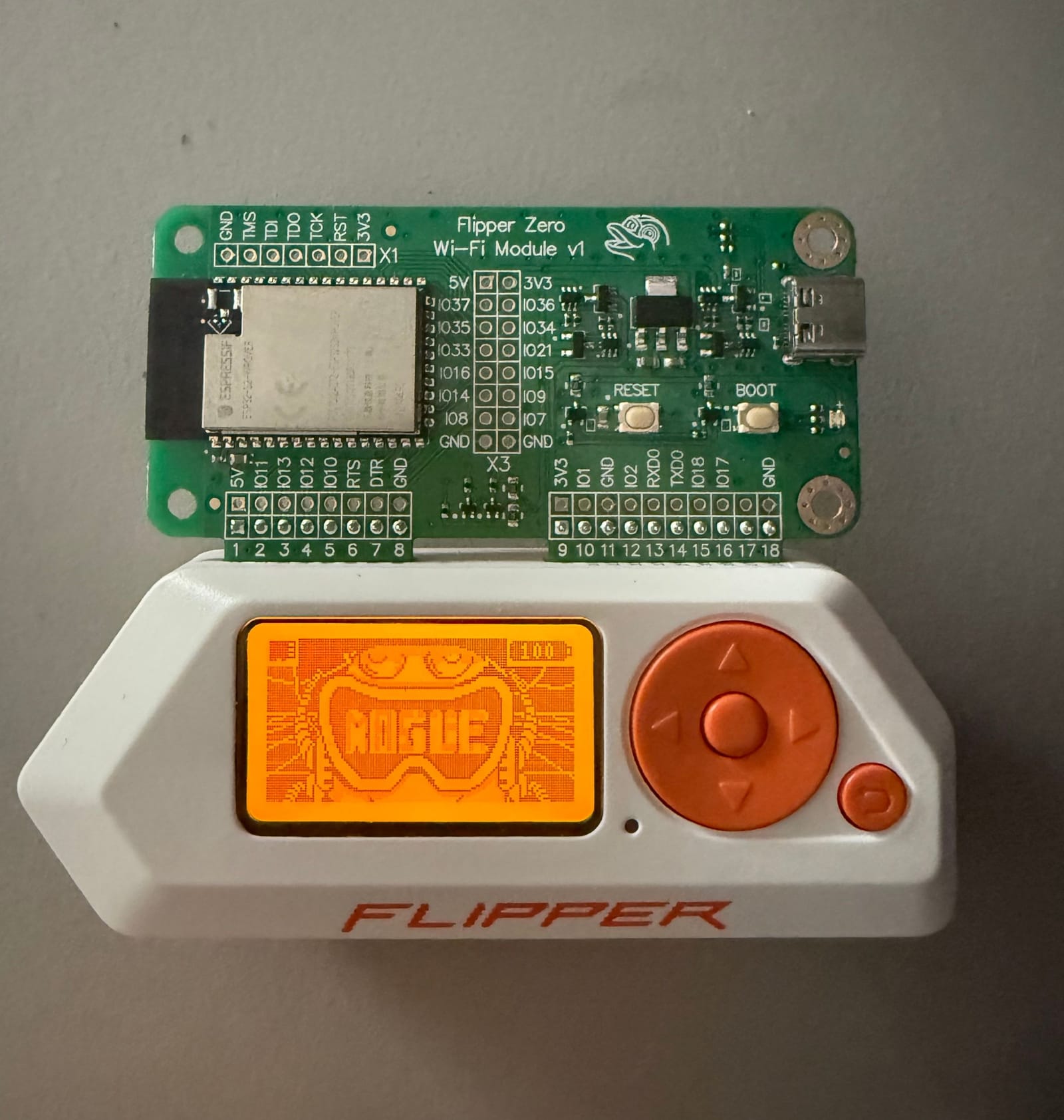
As part of my ongoing journey into cybersecurity and hands-on experimentation, I decided to invest in a Flipper Zero and its accompanying Dev Board. These tools have opened up a world of possibilities for testing, learning, and developing in the realm of wireless communication and network security. Here's how I approached this project and what I've accomplished so far.
Setting Up the Flipper Zero
The Flipper Zero arrived as an intriguing piece of hardware, combining portability with versatility. My first step was to make sure the device was fully updated: I installed the latest official updates to unlock its core functionalities, then upgraded the firmware to RogueMaster, a popular custom firmware that enhances the Flipper Zero's capabilities, including expanded protocols and additional tools for exploration.
To flash the custom firmware, I followed detailed instructions available on GitHub. That meant cloning the RogueMaster firmware repository, checking the firmware version history to pick a stable release, and then using the Flipper's built-in USB functionality to flash it with the provided tools.
Diving into the Dev Board
To extend the functionality of the Flipper Zero, I paired it with the Dev Board, which adds advanced capabilities for custom development and wireless testing.
The main piece of this was flashing the Dev Board with Marauder firmware, which unlocked Evil Portal for creating custom captive portals - and let's be honest, setting up your first Evil Portal and watching someone connect to it is an exhilarating moment, seeing the login screen pop up feels like a small victory in the world of wireless security testing - as well as deauthentication attacks for testing the resilience of Wi-Fi networks by simulating common wireless threats.
Unfortunately, deauthentication attacks only work on 2.4GHz networks. This limitation is due to the hardware capabilities of the ESP32's Wi-Fi radio, which is built to function specifically on 2.4GHz frequencies. However, this makes room for a new project: finding ways to deauthenticate 5GHz networks using my laptop, which opens the door to exploring advanced techniques and tools.
On top of the firmware itself, I also configured the Dev Board to interact seamlessly with the Flipper Zero, enabling a robust environment for security testing and experimentation.
The flashing process for the Dev Board also relied on GitHub resources: I downloaded the Marauder firmware and used the provided flashing tools and scripts to install it onto the Dev Board.
Practical Applications
These tools aren't just about exploration, they've become invaluable for practical learning and testing. Using the Dev Board's deauthentication capabilities, I've simulated common attacks to better understand their mechanics and develop defensive strategies. The Flipper Zero's open architecture and the Dev Board's versatility have also let me experiment with writing and deploying custom scripts. With the enhanced firmware, I've delved deeper into NFC and RFID protocols, analyzing tags and experimenting with real-world applications, and I've explored online repositories and GitHub projects to find and customize payloads for various uses, including testing vulnerabilities and experimenting with automation tasks.
Lessons Learned
This project has taught me the importance of careful configuration and the potential of combining multiple tools to create a flexible testing environment. It's been a journey of discovery, pushing the boundaries of what these devices can do while emphasizing ethical use and learning.
Conclusion
The Flipper Zero and Dev Board have become essential components of my toolkit, blending innovation with practicality. From firmware upgrades to real-world applications, they've provided a hands-on approach to learning and experimentation in cybersecurity. As I continue to explore their potential, I look forward to sharing new findings and insights from this fascinating project.